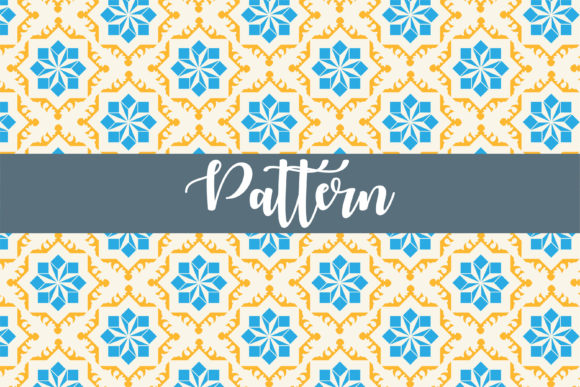
Understanding Digital Paper and Seamless Patterns for Modern Design Projects
When you start exploring surface design, print production, or digital scrapbooking resources, you will quickly encounter the concept of digital paper paired with seamless patterns. These two terms often appear together, but they serve distinct purposes and solve different creative challenges. Understanding what makes each one valuable—and where they overlap—can save you time, money, and frustration on your next project.
Digital paper generally refers to a finished, ready-to-use background file that resembles physical paper, complete with texture, color, and sometimes decorative elements. A seamless pattern, by contrast, is a tileable design that repeats infinitely without visible edges or breaks. When you see a resource labeled Digital Paper - Seamless Patterns, it typically signals a collection that provides both pre-made paper designs and the underlying repeat patterns that can scale across any surface size.
What Makes Digital Paper and Seamless Patterns Distinct
To make informed decisions about which resource fits your workflow, you need to recognize the structural difference between these two formats. A seamless pattern file—often delivered as a square tile in PNG, JPG, or PAT format—requires you to apply it within design software using pattern fill tools or manual duplication. The tile itself contains no fixed dimensions beyond its repeat unit, which means the same small file can cover a business card or a billboard without loss of quality.
Digital paper, on the other hand, arrives as a pre-sized sheet. You might receive a 12×12 inch or A4 JPG file at 300 DPI, already textured and sometimes pre-distressed. The advantage here is immediacy: you open the file and start working. The tradeoff is that you are locked into that specific resolution and scale. If you need a larger canvas, you will either stretch the paper and risk degradation or manually composite multiple sheets.
How the Two Formats Interact in Practice
Many professional design kits deliberately bundle both formats. You might purchase a set that includes twelve pre-made digital papers in coordinated colors, plus the four original seamless patterns those papers were built from. This duality gives you flexibility that neither format alone provides. You can use the ready-made papers for quick invitations or social media graphics, then turn to the seamless patterns when you need to create custom-sized backdrops, fabric prints, or website backgrounds.
Comparing Digital Paper to Alternative Background Resources
Designers often weigh digital paper against several other categories of background resources. Understanding how these alternatives compare helps clarify when digital paper—and specifically collections that include seamless patterns—makes practical sense.
Digital Paper vs. Stock Photography Backgrounds
Stock photo backgrounds capture real-world textures—wood grain, marble, linen, concrete—through photography. These images offer authentic detail that purely digital creations sometimes lack. However, stock photos rarely tile seamlessly without careful editing, and their color palette is fixed to the photographed scene. Digital paper with seamless patterns gives you repeatability and color flexibility that stock photography cannot match. If your project involves a repeating print on fabric or wrapping paper, stock textures become nearly impossible to work with, while a seamless pattern solves the problem instantly.
Digital Paper vs. Vector-Based Patterns
Vector patterns built in Adobe Illustrator or Affinity Designer offer infinite scalability and often smaller file sizes than raster-based digital paper. You can adjust stroke weights, recolor individual elements, and export at any resolution. The tradeoff lies in texture. Vector patterns tend to look clean, flat, and graphic. If you need the tactile feel of watercolor paper, charcoal grain, or vintage paper fiber, raster-based digital paper retains those organic imperfections that vectors struggle to replicate. Many designers keep both types in their toolkit and choose based on the emotional tone of the project.
Digital Paper vs. Procedural Texture Generators
Software tools like Filter Forge, Substance Designer, or built-in Photoshop filters can generate textures procedurally. These tools offer on-demand customization without needing to browse external libraries. The learning curve, however, can be steep. Buying or downloading a curated set of digital paper and seamless patterns gives you immediate, predictable results without spending hours tweaking sliders. For production work with tight deadlines, pre-made resources often win over procedural generation on speed and consistency.
Strengths and Practical Advantages of Seamless Pattern Resources
When a collection explicitly combines digital paper with seamless patterns, several practical benefits emerge that affect your workflow directly.
Unlimited scaling without quality loss stands out as the primary technical strength. Because the repeat tile exists as a separate file, you can apply it to any canvas size your software supports. This matters enormously for print-on-demand products, where you might need the same design on a phone case, a throw pillow, and a duvet cover—each requiring vastly different dimensions.
Colorway flexibility also distinguishes collections that share the underlying pattern engine. Once you understand how the repeating tile works, you can adjust hue, saturation, or overlay color fills to create entirely new variations from a single tile. A floral seamless pattern in muted sage can become bold navy and gold with a few adjustment layers, effectively multiplying the value of your original purchase.
Reduced file storage demands represent an underappreciated benefit. A folder containing fifty 12×12 inch digital papers at 300 DPI can easily consume hundreds of megabytes. Some of those papers may share the same underlying pattern at different scales or rotations. If you instead keep the dozen or so seamless pattern tiles that generated those fifty variations, you dramatically reduce storage while retaining full creative control.
Tradeoffs and Limitations Worth Considering
No single resource type covers every use case perfectly. Seamless patterns and the digital paper built from them carry their own set of constraints that thoughtful designers evaluate before committing.
Visible repetition in large formats can undermine the realism that digital paper aims to provide. Even well-designed seamless patterns show their repeat grid when spread across surfaces large enough for the human eye to detect the rhythm. Organic, random-looking textures—like marble veining or abstract watercolor washes—hide their seams better than geometric or regularly spaced motifs. If your project involves a wall mural or a wide-format banner, test the pattern at full size before finalizing.
Editing barriers for raster tiles often surprise designers accustomed to vector flexibility. A seamless floral pattern delivered as a flat JPG tile cannot have individual flowers recolored or repositioned without breaking the seam alignment. You would need the original layered source file for that level of editing, which few commercial pattern collections include. If deep customization matters to your project, prioritize resources that include layered PSD or AI files alongside the flattened tiles.
Quality inconsistency across sources affects both digital paper and seamless patterns. Some creators carefully engineer their repeats to be mathematically perfect, while others leave subtle 1-pixel shifts that become visible under scrutiny. Before relying on a new set for client work, zoom into the repeat boundary and check for misalignment, tone shifts, or compression artifacts.
When Digital Paper with Seamless Patterns Is the Right Choice
Certain project profiles align particularly well with this resource format. Recognizing these situations helps you allocate your budget and time effectively.
Small business owners who create physical products—stationery, fabric goods, gift wrap, wallpaper—benefit enormously from the dual-format approach. You can use the pre-made digital paper for your product mockups and online listing photos, then switch to the seamless pattern for actual production files that must scale to exact product dimensions. This workflow avoids the frustration of realizing your beautiful 12×12 paper cannot cover a 20×30 inch tea towel without visible tiling artifacts.
Scrapbookers and paper crafters working in the digital space also find strong alignment here. Digital scrapbooking relies heavily on paper textures that feel authentic when printed or viewed at high resolution. Seamless patterns give these crafters the freedom to create custom-sized background mats, borders, and shaped elements without being constrained by the original paper dimensions.
Web designers working on site backgrounds or section dividers represent another strong use case. A seamless pattern tile can be set as a CSS background with minimal impact on page load speed, while a full-sized digital paper image would need to be impractically large to cover modern screen widths without stretching.
When You May Need a Different Approach
Understanding the boundaries of a resource type prevents wasted effort. There are clear scenarios where digital paper and seamless patterns—however well-crafted—are not the optimal solution.
Projects requiring true photographic realism with depth, shadow, and non-repeating organic detail usually need custom photography or high-end 3D rendering instead. A seamless pattern of wood planks can look convincing at a distance, but up close, the eye expects the random knots, grain shifts, and color variation that only a large-format photograph or procedural generation can deliver.
Branding work that demands a unique, ownable visual identity often warrants custom pattern design rather than commercial digital paper. Even widely licensed resources run the risk of appearing in another brand's materials. Designers building identity systems for clients should either commission original patterns or significantly modify purchased assets to achieve distinctiveness.
Projects with tight file size budgets—mobile apps, email templates, AMP pages—may struggle with raster pattern tiles above a certain resolution. In these cases, lightweight CSS gradients, SVGs, or ultra-compressed WebP tiles serve better than traditional JPG or PNG seamless patterns.
Practical Factors for Evaluating Pattern and Paper Resources
When you compare different digital paper and seamless pattern offerings—whether free or commercial—several evaluation criteria separate the genuinely useful from the merely attractive.
File Format and Compatibility
A practical set should include at minimum high-resolution JPG or PNG tiles with transparent backgrounds where applicable. If you work primarily in Procreate, Photoshop, or Affinity software, check whether PAT files, ABR brushes, or layered formats are included. Some sellers provide these extras, and they can significantly speed up your workflow if your software supports them.
License Terms and Usage Rights
Commercial use, personal use, print-on-demand allowances, and resale restrictions vary dramatically between creators and platforms. Read the license before purchasing or downloading. A pattern set priced attractively might prohibit use on physical products for sale, which would disqualify it for many small business applications. Conversely, some creators explicitly allow end-product use without attribution, which matters for client-facing work.
Color Profile and Print Readiness
Digital paper destined for print should be in CMYK or at minimum tagged with an sRGB profile that converts reasonably to CMYK. Seamless patterns intended for screen use can remain in RGB without issue. If you plan to print, ask whether test prints have been done or whether the creator can provide CMYK versions. This small step prevents disappointment when colors shift dramatically at the printer.
Making a Confident, Informed Choice
The marketplace for digital design resources can feel overwhelming, but clarity about your own priorities cuts through the noise. Start by identifying whether you need the immediacy of pre-made digital paper, the technical power of seamless patterns, or the ideal combination of both. Consider the scale of your typical projects, your editing skill level, and whether your end products are digital, printed, or both.
Test a small selection before investing in large bundles. Many designers offer sampler packs or individual patterns that let you verify quality, repeat smoothness, and stylistic fit. A pattern that looks flawless in a thumbnail preview might reveal its seams at print resolution, and the only way to know is to work with the actual file on your own equipment.
Finally, recognize that the best resource is the one you will actually use consistently. A modest collection of versatile, well-constructed seamless patterns that match your aesthetic will generate more value over time than an enormous library of beautiful digital papers that sit unopened on a hard drive. Choose with your real projects in mind, not an imaginary future workload, and you will build a practical, reliable toolkit that serves you well across many design challenges.